
















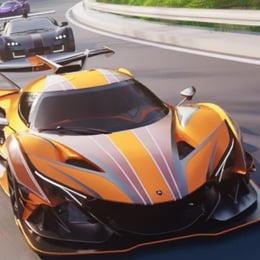












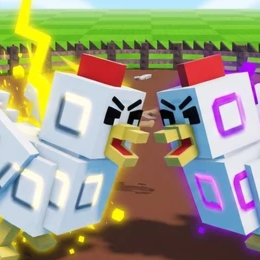




Turbo Soccer is a Roblox car-soccer game: drive into the ball and score in the other team's goal. Start in Free Play or Casual, learn boost and jump controls, then unlock car items and work your way into Ranked matches.
Quick start: Play → Free Play / Casual → Drive with WASD → Boost with Left Mouse → Jump with Right Mouse → Score.
1. How to Play Turbo Soccer
Open Play. Use Free Play to practise or Casual for your first match.
Use WASD to move; hold Left Mouse for a speed boost.
Approach from behind the ball, face the goal, and drive through it.
Play matches, complete challenges, and open Packs for customization items.
2. Turbo Soccer PC Controls
These keybinds come from the supplied in-game tutorial, which documents more detail than the public Roblox description.
| Action | PC Key | Use |
|---|---|---|
| Drive / steer | W A S D | Move the car |
| Boost | Left Mouse (hold) | Accelerate quickly |
| Jump | Right Mouse | Lift off the ground |
| Flip | Jump → Direction → Jump | Flip while airborne |
| Powerslide | Shift + steer | Make tight turns |
| Air spin | Jump + direction | Rotate in the air |
| Air roll | Q / E | Roll left / right |
| Ball Cam | Space | Look toward the ball |
| Horn | G | Honk |
- Keep Ball Cam on when you lose track of the ball.
- Use short boosts to line up your shot instead of rushing past it.
- Practise flips in Free Play before attempting aerial shots in Ranked.
Mobile uses on-screen controls; consoles use compatible controllers. The supplied tutorial does not give a complete mobile or console button map.
3. Choose Your Game Mode
Start with Casual, then try Ranked. The Beta menu shows these options:

Suggested order: Free Play → Casual → Ranked. Use the other modes when available in your current game build.
4. Open Packs & Customize Your Car
You can buy or earn Packs and open them to get car items. The documented Pack menu includes Common, Rare, Epic, Legendary and Exclusive. Exact drop chances are not provided.


Where to equip items: Open Garage, then choose your car, paint, decal, wheels, boost, trail or horn.
5. Earn Rewards, Join Clubs & Climb Rankings
Daily and weekly Challenges award experience for progression. The game also includes Clubs for playing with friends and Leaderboards for tracking competitive results.


The supplied document mentions exchanging items with other players, but does not show a confirmed item-trading interface. Check the live game before attempting trades.
6. Redeem a Free Turbo Soccer Code
The code PACK was listed as working in October 9 guides and gives 1 Exclusive Pack. Codes can expire without notice.
How to redeem: Go to Shop → Redeem a Code → Enter PACK → Redeem.

THANKS10K previously gave 5 Epic Packs according to the document, but an October 9 guide lists it as expired. Neither code has been independently redeemed in a live game session for this article.
Quick FAQ
How do you boost in Turbo Soccer?
Hold Left Mouse on PC while driving.
How do you do a flip?
Right-click to jump, hold a movement direction in the air, then right-click again.
How do you open Packs?
Select Packs from the main menu, open an available pack, then equip items in Garage.
What mode should beginners play?
Practise in Free Play, learn with Casual, then move to Ranked.